
Authentication & profile
Secure sign-in, registration, and email password reset. Update your profile and change your password from the profile area.
Features
The first grid covers core day-to-day modules for owner-, captain-, and technician-style access. Fleet management and billing for multi-vessel operators are in the next section. What you see follows your role and your organization’s permission settings.
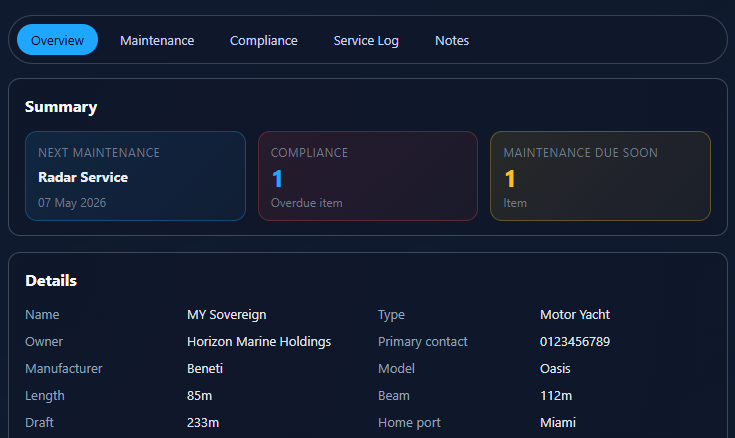
Honest product map
Use this page to set expectations with your crew or management company. Managers can tune capabilities through the permission checklist so screens match how you operate — without waiting on a new software release. Below are core vessel and operations modules; fleet management and billing follow next.
Secure sign-in, registration, and email password reset. Update your profile and change your password from the profile area.
Fleet-wide snapshot: vessel counts, maintenance buckets (overdue / due soon), and compliance summary. Charts when there is data to chart, plus recent notes (often your own entries first when your access is vessel-scoped).
Fleet index with search and filters (including by organization). Vessel detail with overview; maintenance and compliance lists in context. Attachments stay with each record and respect who may open them.
List views, item detail, completion flows, and calendar views with scheduled items alongside list workflows. Export from supported list views when you need files for the office or the yard.
Service log entries with export on supported lists. Notes: list, create, and edit with vessel scope and access rules so the right people see the right context.
Directory of service providers with streamlined add flows — yard and vendor contacts stay next to the work they support.
For fleet managers
Tools for running more than one vessel under one company: organizations, crew, access, reports, and billing. The portal checks access on every request so people only see boats and actions that match their assignment.
Maintain owner companies, link each vessel to the right organization, and keep ownership context next to fleet lists and vessel detail.
Invite people aboard the platform, keep profiles current, resend invites, and assign vessel access so each crew member works on the correct hulls.
Control who reaches which vessels and operational areas so captains, technicians, and shore staff stay inside the scope you intend.
Maintenance done, maintenance due, and compliance due — fleet roll-ups for planning, audits, and clear client conversations.
Subscriptions, invoices, and payments in one place under Management for people with billing access — the operational side of running a management company.
Create and track client-facing invoices next to internal billing work, so yard and owner billing stay in one workflow.
Managers tune which modules and actions each role can use so the product matches how your company runs — without shipping a new release.
Owners, captains, and technicians each see a path through the same data model — without exposing management or billing areas outside the roles and vessels you assign.
Maintenance and compliance scheduling views complement list workflows — useful when you are planning yard periods or seasonal readiness.
When a list supports export, you can pull structured data from maintenance, compliance, service log, and related views for audits or handovers.
Individual and management tiers unlock different collaboration patterns — pricing explains the split; contact is there when you need a walkthrough.